Free · for university students with ADHD
Your materials in.
Flashcards out.
Made for the first weeks of term, when the syllabus is still new. Add a reading and in about two minutes you have flashcards, quizzes and mind maps from it. Every one shows the exact sentence it came from.
No card, no setup. Free while we pilot with students.
In our own test run, a brand-new account finished a first round in under a minute.
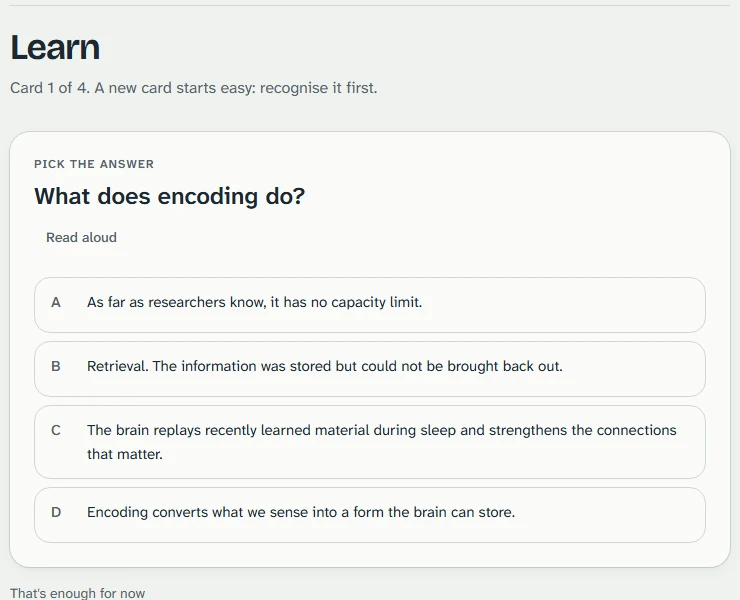
Try one card
A sample from a real chapter, no account needed.
Card 1 of 3
What does encoding do?
Yours work the same way: every card keeps the sentence it came from.
Before and after
One paragraph becomes three cards you can check.
Memory is the set of processes that let us take in information, keep it, and use it later. Psychologists describe three jobs. Encoding converts what we sense into a form the brain can store. Storage keeps that information over time. Retrieval brings it back out when we need it.
What it becomes in Project ADHD
What is memory?
The processes that let us take in information, keep it, and use it later.
From your reading: “Memory is the set of processes that let us take in information, keep it, and use it later.”
What does storage do?
It keeps that information over time.
From your reading: “Storage keeps that information over time.”
What does retrieval do?
It brings information back out when we need it.
From your reading: “Retrieval brings it back out when we need it.”
Your first five minutes
Two minutes before you upload anything.
- 1
Start with a sample
A chapter on memory is already turned into cards, so there is something to try at once.
- 2
Take a two-minute round
A few cards, each with the passage it came from. Stop whenever you like.
- 3
Then make your own course
Add your reading the same way. Nothing is invented, and nothing is added to your calendar without you.
What you can add
The course material you already have.
Each file becomes its own study pack. Homework counts too: it is used to quiz you on the concepts, and the app never works the problems.
- Readings
Readings and lecture notes
PDFs, Word files, slides, or a photo of a printed page.
- Syllabus
Your syllabus
Exam and due dates are found for you, then you check each one before it goes on your list.
- Past work
Returned quizzes, study guides, past exams
Practice questions in the same style as the ones you will be tested with.
How it works
Add it. Study one thing. See where it came from.
 1
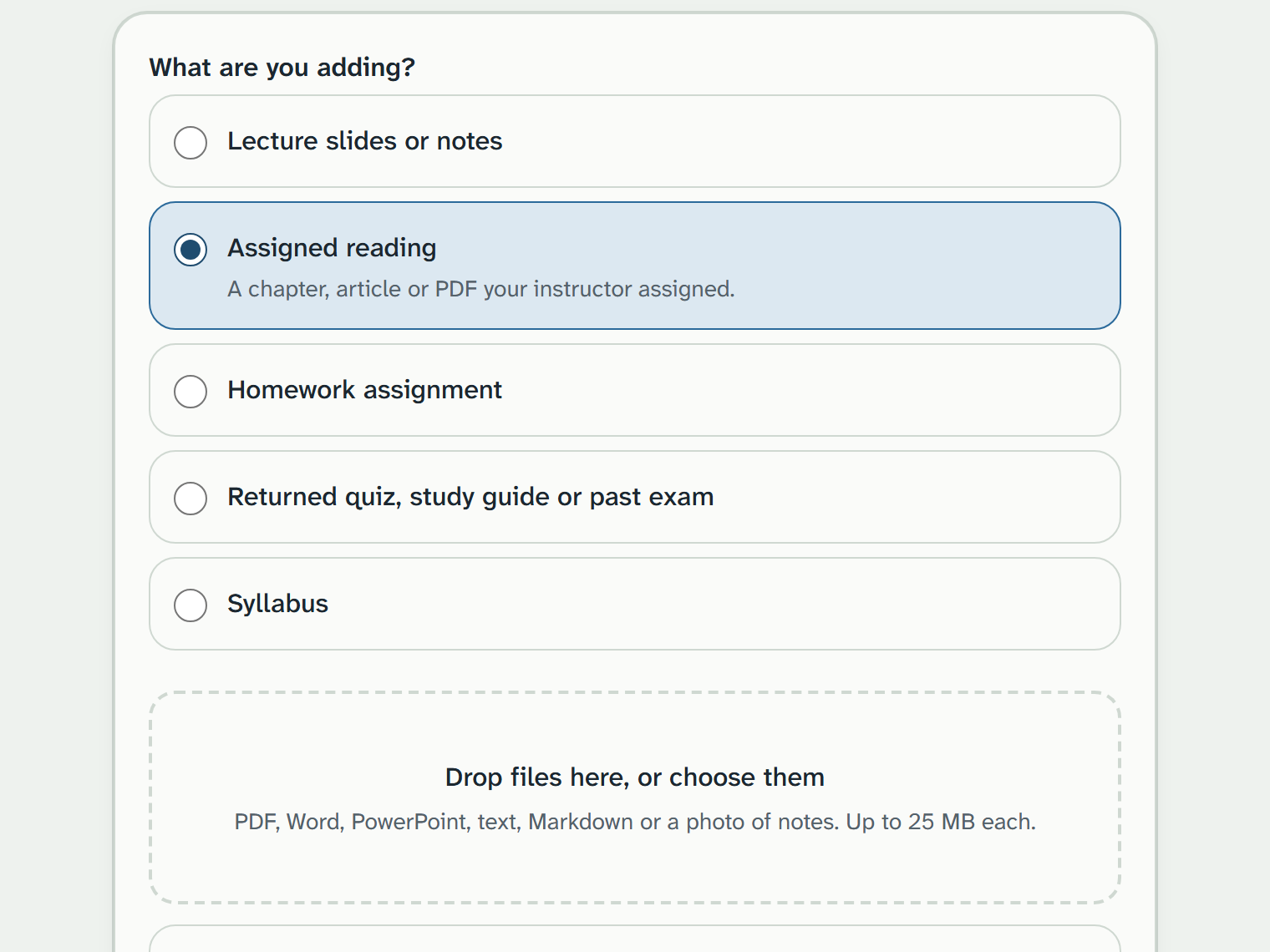
Add a source
Upload a reading, notes, homework, a returned quiz or your syllabus. The app only ever uses what you add.
 2
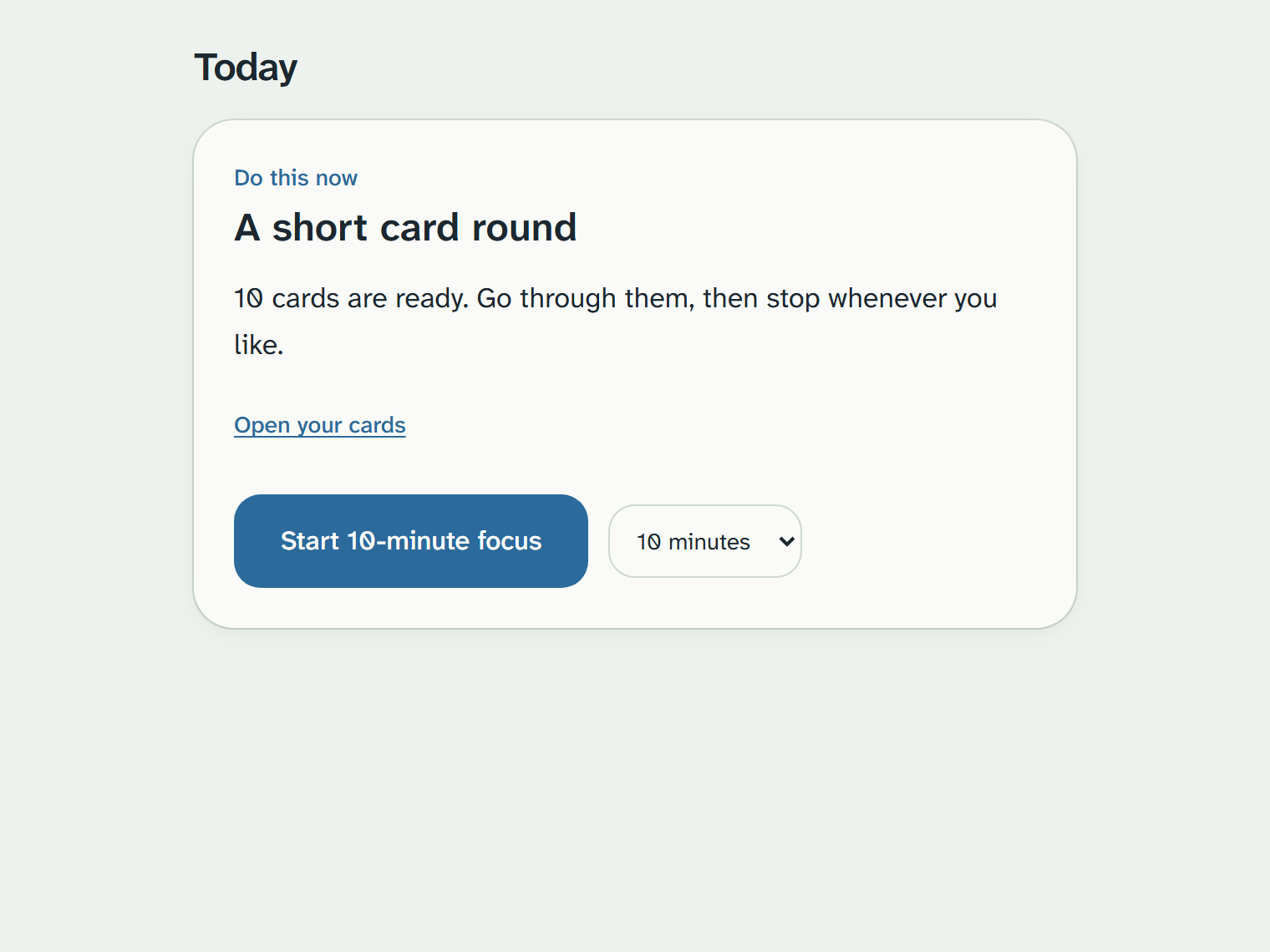
Study one task
Today shows a single next step with a visible timer. Cards come back on a spaced schedule, a few at a time.
 3
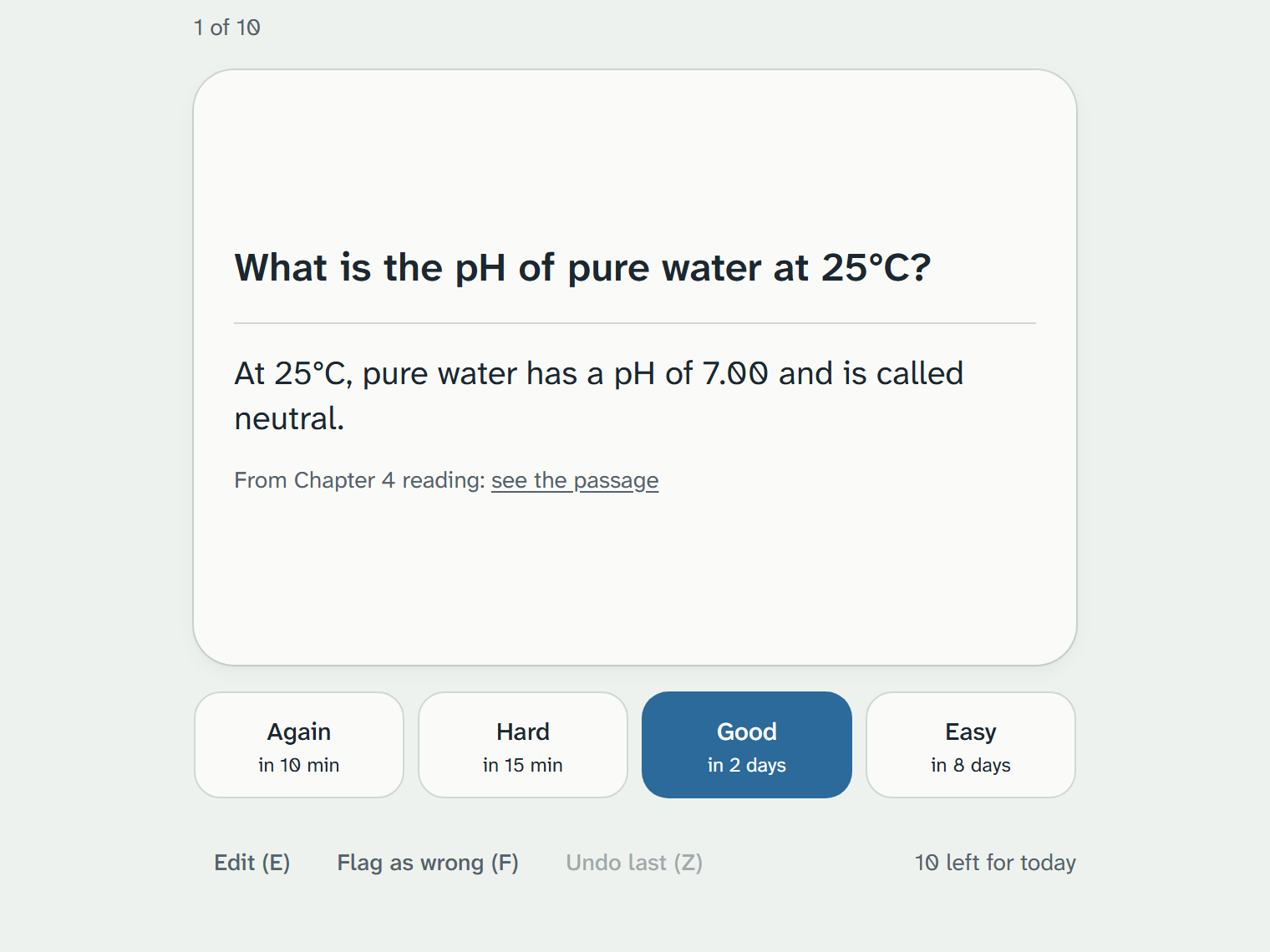
Check the sentence
Every card, question and map item links to the passage behind it. Wrong? Edit it, flag it, or delete it.
What it will never do
Built to keep you on your own coursework.
No chat box
There is no open question box. Study outputs are flashcards, quizzes and mind maps; in class, Lost Focus and Recall write short notes from the transcript.
No homework answers
It never solves a problem or writes a paper. Homework is only used to quiz the concepts.
No invented dates
Dates found in your syllabus wait for you to confirm them before they go on your list.
No streaks, no red
No overdue counters, no pressure scores. A missed day is never counted against you.

In class, on the laptop app
When you drift, one tap brings you back.
The Windows app records the lecture and transcribes it as it goes. The recording and transcript stay on your laptop; only the study pack made from it goes to your account.
Lost Focus
You zoned out. It asks how long, then shows where you were, what you missed and where the class is now, from what was said.
Show me where
It still did not click? It finds where your lecture or reading already covered it and points to the spot.
Recall
Type what you remember from the last few minutes. It compares that with what was said. No score, no red marks.
Your campus rules
A reminder to follow your campus recording policy, and controls to delete a lecture or everything.
Private by design
Your materials. Your passages. Nothing invented.
Where your data lives
Your materials and study packs sit in your own account. In the laptop app, lecture recordings and transcripts stay on your laptop. Making study items uses cloud AI: your text is processed for that and not kept. Read the privacy policy
Every item is checkable
Each one points to the exact words it came from, so you can check it yourself.
“A base case stops the recursion.”Chapter 6, page 3
A line it cannot match to your sourcesLeft out
You can fix anything
Edit or delete any card or question, flag a mistake, rename a material, or delete a course and everything in it. Your account and all of its data can be deleted from inside the app.
Questions students ask
Will it make things up?
It is built not to. Every flashcard, quiz question and map item must quote your own material, and anything it cannot match to a source is dropped. The in-class notes (Lost Focus, Recall, the lecture summary) are short AI notes over the transcript and are labelled as such.
Can I ask it questions or have it do my homework?
No. There is no chat box, and it will not solve homework or write papers. Homework pages are only used to quiz you on the concepts they cover.
Is this only for people with ADHD?
It is designed ADHD-first: low friction, no guilt mechanics, one thing at a time. Anyone who wants to study that way is welcome.
Does it work on my phone?
Yes. It opens in the browser and can be added to the home screen, no app store needed. Lecture recording is laptop-only.
What does it cost?
Nothing. It is free while we learn what helps students with ADHD. If that ever changes you will hear it from us first, never mid-semester.
Add one reading and study for ten minutes.
If it does not earn its place next to your notebook, close the tab.
No testimonials yet: we are piloting with real students this term. Everything on this page is built, not promised.